Whitelabel
Your client sees your brand, not ours.
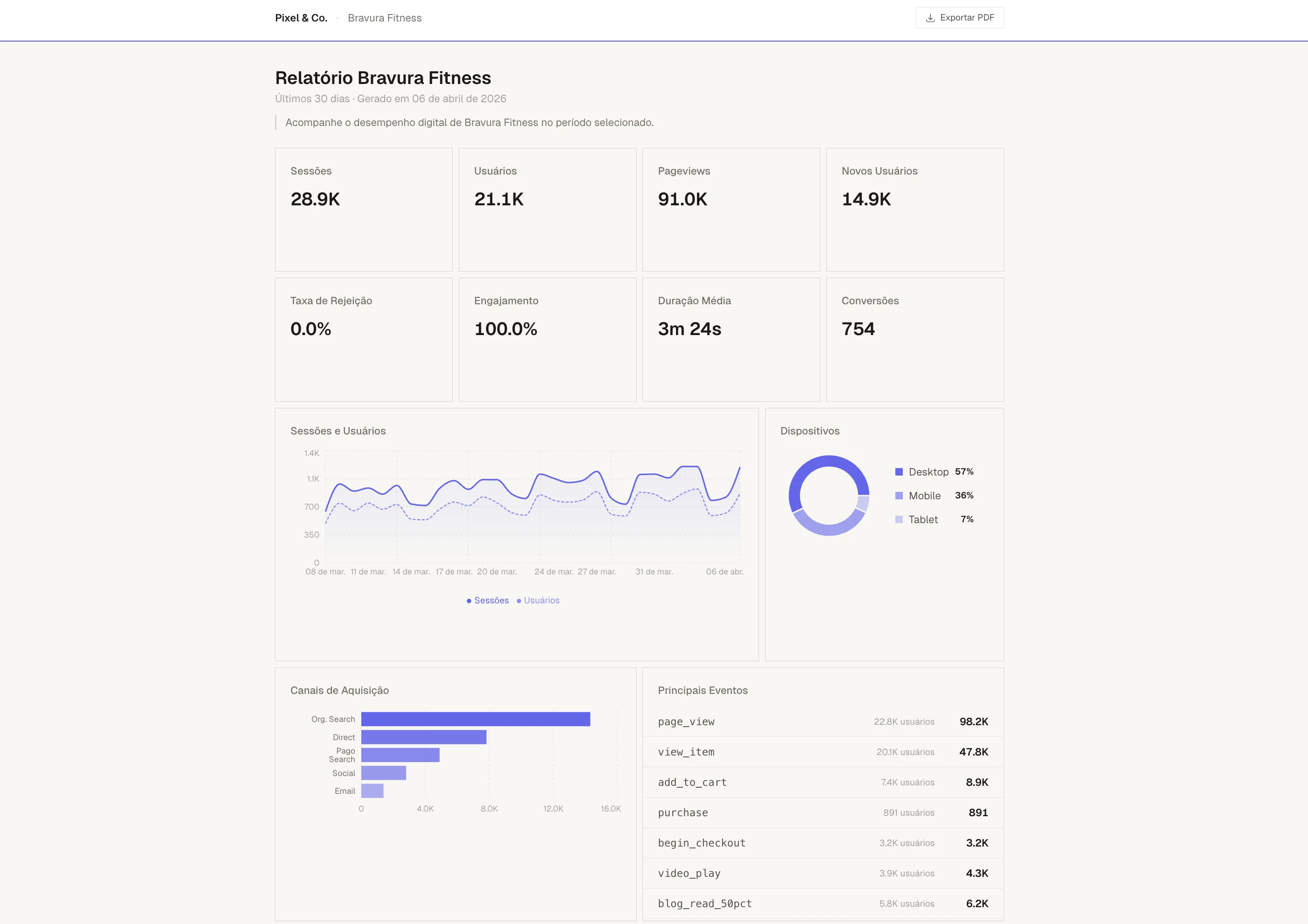
The report the client receives has your agency's logo, colors and name. There is no mention of Mattic anywhere. For the client, the product is yours. The URL, the charts, the exported PDF — everything comes out with your agency's visual identity.
Your brand
Logo, color and name. The three pillars of whitelabel.
You configure the agency's identity once in the dashboard. From there, all reports come out with that identity. If you need to change something, just update it in settings.
Agency logo
Upload your logo in PNG, JPG, SVG or WebP. It appears in the header of all reports and in the system's side panel.
Primary color
Choose your agency's color. It's applied to charts, progress bars, trend indicators and all visual details of the report.
Agency name
The name appears at the top of reports and in the footer. The client sees "Report generated by [Your Agency]" instead of any mention of Mattic.
Color per client
In addition to the agency color, each client can have their own color. There are 10 preset options or you can choose a custom color.
Public report
A link for the client to access the report whenever they want.
The public report requires no login. The client clicks the link and sees updated data with the charts, KPIs and tables you configured. The layout follows the same grid you built in the drag-and-drop editor.
Public link
Each report generates a URL in the format /report/your-agency/client-name/ga4. Share this link directly with the client. No login, no password.
PDF export
The report has an "Export PDF" button that generates a print-ready version. Print-adapted layout, with your brand on every page.
Custom title and message
Set a title like "Performance Report, March 2026" and a personal message. The message appears prominently at the top of the report, like a note from the agency.
Section control
Choose which sections appear in the client's report. Disable what doesn't make sense and reorder what's left. Each client can have a different configuration.
Client experience
For the client, the report is from your agency. Period.
The header shows your agency's logo and name next to the client's name. The charts use the color you defined. The footer says "Report generated by [Your Agency]" with the generation date.
No Mattic logo, no "powered by", no watermark. The client sees a professional product with your agency's identity from start to finish.
Your brand in the report. Not Google's.
The first 50 lock in the launch price.